How to Plan Friendsgiving Without Three Days of Group Chat
By Mel Schembri · Published 2026-06-01 · Updated 2026-10-13 · Hosting
How to plan Friendsgiving for twelve: when to hold it, a sign up sheet you can copy, what every guest should bring, and how to avoid four pasta salads.
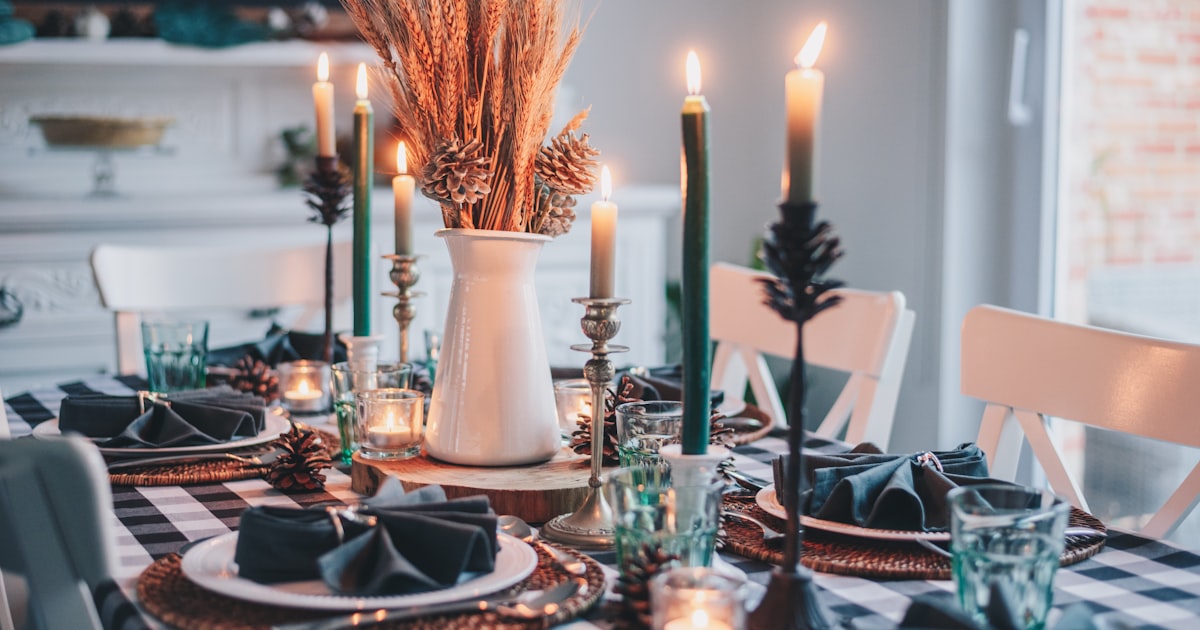
Friendsgiving goes smoothly when one person hosts and cooks the centrepiece, and every other dish has one name beside it on a list the whole group can see. The group chat is where it goes wrong: by message forty nobody can tell who said they would bring what.
Here is the plan for twelve people, with a sheet you can copy.
When is Friendsgiving in 2026?
There is no fixed date. Most groups hold it on a weekend shortly before American Thanksgiving, which is Thursday 26 November 2026. That makes Saturday 14 or Saturday 21 November the usual choices. Pick the date four to five weeks ahead and ask for final answers two weeks before, because the shopping depends on the headcount.
Eight to fourteen guests fit round most tables with some borrowed chairs. Above sixteen you are running a party and need a buffet.
What should each person bring to Friendsgiving?
The host takes the turkey and the gravy, because both need the host's oven and roasting pan. Everything else goes on the list:
- Stuffing, baked in its own dish so it can travel
- Potatoes, mashed or roasted
- Two vegetable dishes, such as green beans, sprouts or a tray of roast roots
- One salad, green or grain
- Bread or rolls
- Cranberry sauce, homemade or from a tin
- Two desserts, one of them pie
- Drinks: wine, something without alcohol, and ice
Add a vegetarian main, such as a stuffed squash, if any guest is vegetarian.
Let people choose. Someone who was hoping to bring a pie will not do their best work on an assigned tray of sprouts. Only step in near the end to fill the dishes nobody picked.
A Friendsgiving sign up sheet you can copy
| Dish | Who | Allergens in it | Arrives ready to serve? |
|---|---|---|---|
| Turkey | Host | ||
| Gravy | Host | ||
| Stuffing | |||
| Potatoes | |||
| Vegetable 1 | |||
| Vegetable 2 | |||
| Salad | |||
| Bread or rolls | |||
| Cranberry sauce | |||
| Dessert 1 | |||
| Dessert 2 | |||
| Drinks and ice |
Put it in a shared document and send the link once. The last column matters more than it looks. The host's oven is busy, so dishes should arrive hot or need no more than a short reheat.
What to do in the final week
Seven days before: look at the sheet. Offer the unclaimed dishes to specific people by name. "Cranberry sauce is the only one left, do you want it?" gets an answer. A general reminder to the group does not.
Two days before: send the time and address, remind each person what they signed up for, and ask who can bring serving spoons, a platter or folding chairs.
On the day: put a card beside each dish with its name, who made it and any allergens. USDA FSIS says perishable food should not sit out for more than two hours, so bring the food out when people are ready to eat, not when the first guest arrives.
The morning after: ask everyone for their recipe while they still remember what they changed. Next year starts from that list.
How do you plan Friendsgiving without the group chat?
Keep the chat for jokes and put the plan somewhere that does not scroll. A shared spreadsheet is enough for one year.
If the same group does this every year, GetLadle keeps it together. You create a Circle for the group and an event inside it, send one link, and friends claim dishes from the list. Each person can see what is taken, the dietary needs sit beside the menu, and guests get a reminder of the dish they claimed. Recipes attached to the dishes stay with the Circle for next time.
Events are free for up to 25 guests. A paid plan covers up to 25, and Feast Mode ($59.99 CAD, one time) removes the limit. Start your Friendsgiving.
Related reading
- Thanksgiving potluck ideas and how to coordinate one
- Best potluck planning app in 2026
- How to host a dinner party without the group chat
Frequently asked questions
How do I plan Friendsgiving without a group chat?
Write the menu as a list of dishes, put it somewhere every guest can open, and let each person put their name beside one dish. A shared document works. GetLadle does the same with one event link, where guests claim dishes and everyone sees what is still open.
What should every Friendsgiving have?
A centrepiece, usually turkey, plus stuffing, potatoes, two vegetable dishes, a salad, bread, cranberry sauce, gravy, two desserts and drinks. Add a vegetarian main if any guest is vegetarian.
When is Friendsgiving in 2026?
There is no fixed date. Most groups hold it on a weekend shortly before American Thanksgiving, which is Thursday 26 November 2026. That makes Saturday 14 or Saturday 21 November the usual choices.
Who should host Friendsgiving?
Whoever has the largest table. Hosting twelve people is real work, so if the same person does it every year, rotate.