Not putting your only copy of a recipe in one place
To keep your recipes safe without trusting one app completely, avoid making any single app the only place a recipe exists. Users of several recipe apps report real data loss — recipes disappearing after a sync bug or a forced version upgrade, sometimes years of saved or inherited recipes at once. No app is immune to that risk, including a new one. The practical fix is redundancy: share recipes with people who also have a copy, and export or back up your collection periodically, so losing access to one app doesn't mean losing the recipes.
The question isn't which app is safest — it's whether a recipe exists in more than one place.
Why "just pick a reliable app" isn't the whole answer
It's tempting to treat data loss as a problem with one specific app rather than a category-wide risk. It isn't, necessarily, but it also isn't hypothetical: sourced complaints describe years of recipes going missing after a forced version upgrade that didn't carry old data across cleanly — one user reported over 700 recipes failing to transfer during a major version upgrade, another lost four years of family recipes after an iOS update forced an in-app upgrade. Separately, the same vendor has a standing support article explaining that recipes can appear to vanish after syncing to the wrong account — recoverable by logging back into the original account, but common enough to need its own help-centre page. Neither failure mode is unique to one app by design; any app that syncs across devices and ships version upgrades carries some version of this risk, including a new one with no complaint history yet simply because it hasn't been around long enough to accumulate one.
Step 1: Don't let any one account be the only copy
The actual risk isn't a specific app — it's a single point of failure. If a recipe only exists in one account, on one device, a sync bug or an account issue can take it out entirely. If it also exists somewhere else, that risk drops a lot.
Step 2: Share recipes with someone else, not just save them privately
Sharing a recipe with a partner, a family group, or a friend who cooks the same things creates a second copy outside your own account, as a side effect of something you'd probably do anyway. It's a more sustainable habit than a separate backup routine you have to remember to run.
Step 3: Export periodically where you can
Where an app offers an export, use it now and then — a PDF of a cookbook, a downloaded file — so a copy exists outside any app's servers entirely, independent of your account staying active or the app staying in business.
Step 4: Treat "the app has never lost my data" as luck, not a promise
A track record without loss so far isn't the same as immunity. Building in redundancy costs a few minutes and means a future bug, however rare, is an inconvenience rather than a loss.
How GetLadle handles this
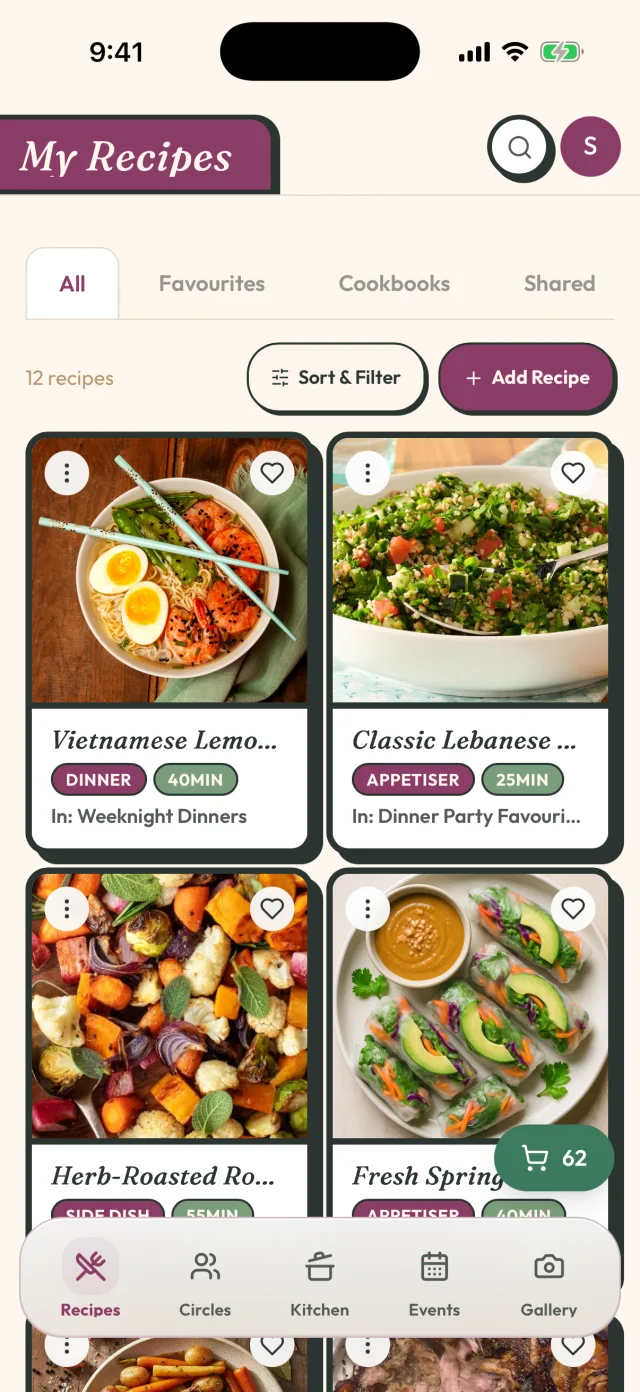
GetLadle stores recipes privately by default, and sharing one to a circle — a private, invite-only group, not a public feed — gives everyone in that circle their own access to it, which is a real second copy, not just a link back to yours. On Sous Chef or Head Chef, you can also export a cookbook to PDF as a standalone backup outside the app. Neither of these makes GetLadle immune to every possible failure; they're the same redundancy principle applied here as anywhere else — don't let one place be the only place.
What this looks like in practice
Add the recipes that matter most — the ones you'd be genuinely upset to lose — to a shared circle first, rather than trying to back up everything at once. Export a cookbook occasionally, particularly before a big change like moving to a new device or account. Small, regular habits beat a single big backup you never get around to.
Frequently asked questions
Can a recipe app really lose years of saved recipes?
Yes — it's a documented, recurring complaint for at least one major recipe app, usually tied to a forced version upgrade that doesn't carry old data forward cleanly. It's rare for any individual user, but common enough that the vendor's own complaints page and support site both address it.
What's the simplest way to back up my recipes?
Share them with someone else — a partner, a family group, a friend who cooks the same things — so a copy exists outside your own account. Periodically exporting your collection, where the app offers it, adds a second layer that doesn't depend on anyone's account staying active.
Does switching to a different recipe app fix the risk?
It doesn't remove the risk, because any single app becomes a single point of failure again once everything lives there. The fix is having a recipe exist in more than one place, whichever apps you use, not finding the one app that will never have a bug.
Related
- How to share family recipes without retyping them
- How to cook from the fridge without a wasted grocery trip
- Digital Family Recipe Box: What It Is and Why You Need One
- How to Share Family Recipes Across Generations (Before You Lose Them)
- Compare GetLadle
Sources
Last reviewed 2026-09-15 · GetLadle