Sharing the family recipe box without typing a single card
To share family recipes without retyping them, photograph each card or cookbook page and let the photo be turned into a written recipe automatically, then share the result with the people who should have it, rather than typing every card out by hand. Handwritten family recipes spend most of their time hidden away in a box precisely because digitising them by typing is slow enough that nobody starts. Photographing and sharing to a private group both take minutes, not an afternoon per recipe.
The bottleneck is typing, not sharing — remove the typing and the sharing takes care of itself.
Why the recipe box stays in the box
Nobody sets out to lose a family recipe. It happens because digitising it properly — typing out the ingredients, the method, the handwritten note in the margin — takes real time, and there's always something more urgent than an afternoon spent transcribing. The result, as one account of the problem puts it, is that "handwritten family recipe cards spend most of their time hidden away in boxes," not because anyone decided to hide them, but because typing them out never made it to the top of the list.
Meanwhile the family members who'd want a copy — a sibling who moved away, a grandchild starting to cook — either don't know the recipes exist or have to ask individually and wait for someone to type one out for them.
Step 1: Photograph, don't transcribe
Take a clear, well-lit photo of each card or cookbook page instead of typing it. This is the step that actually removes the bottleneck: a photo takes seconds, transcription takes minutes per recipe, and the difference compounds across a whole box.
Step 2: Let the photo become a recipe
A tool that reads the photo and produces ingredients, steps and servings turns "a photo of a card" into "a recipe you can actually cook from" — searchable, scalable, and editable, without you typing a word.
Step 3: Check it against the original once
Handwriting varies, and an old card with faded ink or a shorthand abbreviation ("1 c. flr") can trip up automatic reading. Check the digitised version against the card the first time, and fix anything that came through wrong.
Step 4: Share it with the people who should have it
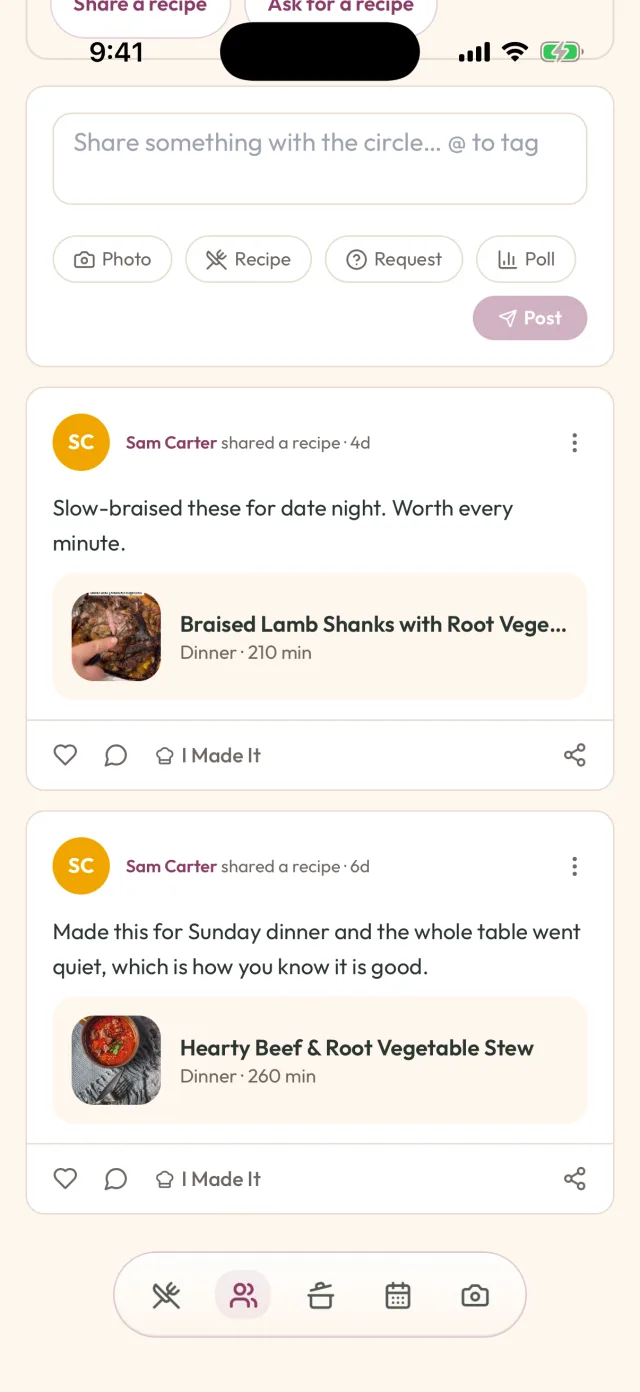
Add the digitised recipe to a group that only your family can see, rather than emailing individual photos or posting them somewhere public. A shared, private space keeps everyone's copy in sync as more recipes get added — nobody has their own outdated version.
How GetLadle handles this
GetLadle's photo scan reads a photo of a printed or handwritten recipe card, cookbook page, or screenshot and turns it into a recipe with ingredients and steps as separate, editable fields — the first photo becomes the hero image. Photo scan on the free Apprentice plan is 1 a month; more needs Sous Chef (10 scans a month, $5.99 CAD/mo) or Head Chef (unlimited scans, $11.99 CAD/mo). Saving recipes by pasting a link or typing text stays free at 8 a month. Add the digitised recipe to a circle — a private, invite-only group, not a public feed or a single household — and everyone in that circle sees it for free, with their own notes and comments kept separate from yours. Apprentice includes one circle you own and unlimited circles you can join for free; Sous Chef raises that to three, Head Chef to unlimited.
Building the collection over time
Do a handful of cards at a time rather than the whole box in one sitting. A family recipe circle that grows by five recipes a month for a year ends up further ahead than one abandoned halfway through an ambitious weekend project.
It also helps to involve the person the recipes came from, while they're around to check them. A grandparent confirming that "a knob of butter" means roughly two tablespoons is worth more than any amount of guessing later, and it turns digitising the box into time spent together rather than a solo chore.
Frequently asked questions
How do I digitise a handwritten recipe card without typing it out?
Take a clear photo of the card and use a tool that reads the handwriting and turns it into a written recipe with ingredients and steps you can edit. It won't be perfect on the first pass with hard-to-read handwriting, so check it against the card once before you rely on it.
How can I share a whole recipe box with my family at once?
Photograph the cards in batches and add them to a shared collection everyone in the family can see, rather than sending each recipe individually. A shared, private group works better than emailing photos one at a time, because it stays organised as more recipes get added.
Will sharing family recipes digitally make them public?
It doesn't have to. A private group that only the people you invite can see keeps the recipes within the family, unlike posting them somewhere public or emailing them as attachments that anyone could forward on.
Start your family recipe circle
Related
- How to save TikTok recipes without losing the measurements
- How to keep your recipes safe without trusting one app
- How to Share Family Recipes Across Generations (Before You Lose Them)
- Digital Family Recipe Box: What It Is and Why You Need One
- How to Record Your Grandparents' Recipes Before They Are Gone
- How to Request a Recipe From a Friend (Without the Awkward Text Loop)
Sources
- The Kitchn: turning handwritten recipes into tea towels
- The Kitchn: a family recipe app that preserves kitchen memories
- Quora: sites for families to share personal recipes
Last reviewed 2026-09-15 · GetLadle