Organising a potluck when the group chat isn't working
To organise a potluck without a group chat, move the dish list, RSVPs and dietary notes off the chat thread and onto one page every guest can check on their own. Group chats bury the current state under later messages, so the tenth person to open it has no idea what is still needed. A spreadsheet fixes the visibility problem but is fiddly to edit on a phone and cannot cap how many people sign up for one category. A dedicated event page with claimable slots solves both at once.
The chat isn't the problem — using it as the record of what's decided is.
Why the group chat breaks down
A chat is a log, not a list. Every new message pushes the dish plan further up the screen, so the person who joins on day three sees forty unrelated messages before they find out what's needed. A plain spreadsheet has the same underlying issue in a different tool: nothing stops two people signing up in the same cell, and a blank category is easy to miss until the day of the event. The channel isn't the point — the problem is using a format with no fixed, current state.
One host who tried several dedicated apps before giving up described the result bluntly: after trying a handful of tools, "the winning app for organization of a potluck at this juncture is — drumroll — e-mail." Reverting to the lowest-tech option is a symptom of the same thing: none of the tools tried made the current state obvious enough, fast enough.
Step 1: Separate the chat from the record
Keep the group chat for reminders, banter and "running 10 minutes late" messages. Move the actual plan — who's bringing what, dietary notes, arrival time — to something with a fixed, current state that doesn't scroll away.
Step 2: Make the plan a list, not a thread
A spreadsheet is the obvious first move, and it's a real improvement over chat. But a spreadsheet has no built-in way to cap a category, block a duplicate entry, or send a reminder — the host has to check it by hand. It also gets fiddly to edit from a phone at the till. A list with claimable slots removes that manual work: claim a slot and it's gone for everyone else.
Step 3: Send one link, not repeated updates
Instead of posting "still need a main course!" into the chat every few days, send guests a link once. They check it when it's convenient for them and see the current state, not a summary someone typed up two days ago.
Step 4: Keep dietary notes attached to the plan, not buried in messages
Allergy and diet information shared mid-thread gets lost the same way dish claims do. Put it on the same page as the dish list so the cook preparing a shared dish can see it before they shop, not after someone mentions it at the door.
How GetLadle handles this
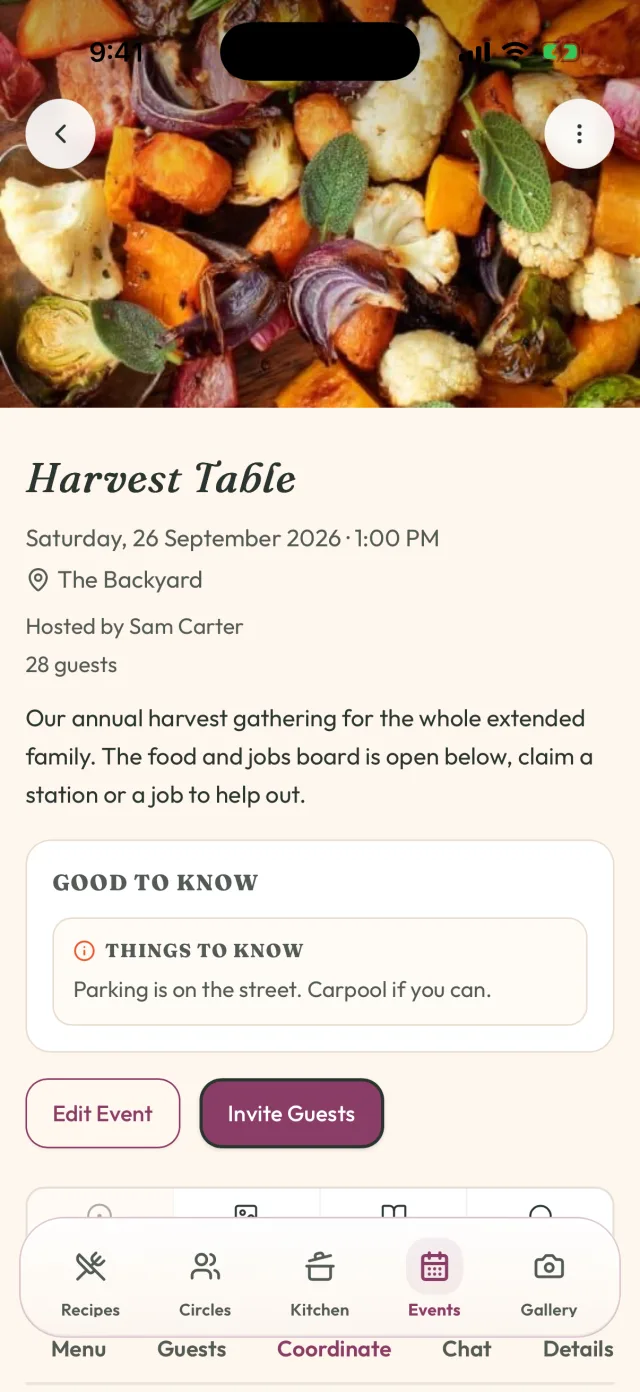
A GetLadle event is a single link with RSVP, a dish-claim board and a dietary section on the same page — no scrolling a chat thread or editing a shared sheet to find the current state. Guests claim a slot and it updates for everyone instantly. The host can still use the group chat for logistics; it's just no longer the record of what's happening. Events, RSVPs and dish claiming are free on every GetLadle plan, with up to 25 guests on Apprentice and 25 on Sous Chef or Head Chef.
What to do the week before
Send the link once, a week out, and again the day before as a reminder — not as a request for an update. If a slot is still open two days out, claim it yourself rather than posting another "still need a side" message that competes with forty other notifications in someone's phone.
Frequently asked questions
Why does organising a potluck over a group chat go wrong?
The chat shows messages in the order they were sent, not the current state of who's bringing what. A guest joining the thread late has to scroll back through everything to work out what's still needed, so most people don't bother and just bring something safe.
Is a shared spreadsheet better than a group chat for a potluck?
It's a step up because the current state is visible in one place, but editing a multi-column sheet on a phone is fiddly, and nothing stops two people signing up for the same slot at the same time or leaves the category blank by mistake.
What should replace the group chat for potluck planning?
A single link with a claimable list works better than a chat thread because claiming a slot removes it for everyone else instantly. The group chat can still be used for banter and reminders — just not as the record of who's bringing what.
Related
- How to plan a potluck without duplicate dishes
- How to host a holiday dinner without missing a dietary need
- How to Host a Dinner Party Without the Group Chat Chaos
- How to Plan an Office Potluck People Actually Enjoy
- GetLadle for Potlucks
Sources
Last reviewed 2026-09-15 · GetLadle