Getting Instagram recipes out of Saved and into something usable
To organise Instagram recipes without relying on screenshots, save the recipe itself rather than a picture of it. Instagram's own Saved folder has no search inside it, so a collection of dozens of posts becomes unbrowsable within weeks, and a camera-roll screenshot is worse: it isn't searchable at all and gets buried under every other photo you take. Import the post's caption into a written recipe with ingredients and steps you can search, tag and actually cook from, instead of scrolling to try to remember which post had the pasta.
Saved posts and screenshots are storage, not organisation — neither one is searchable.
Why Saved and screenshots stop working
Both defaults feel free because they take no extra effort in the moment. That's exactly the problem: nothing about saving a post or taking a screenshot asks you to organise it, so the pile grows until it's unusable. Instagram's Saved area has no search bar and no filters — you can group posts into collections, but finding a specific recipe among fifty saved posts still means scrolling and guessing. Screenshots are worse: they sit in a camera roll alongside every other photo on your phone, with no caption text attached at all.
Anyone who's tried to cook from what they saved months ago knows the result: recipes technically kept, practically lost.
Step 1: Stop treating Saved as your recipe box
Saved is fine as a bookmark for something you'll deal with later. It isn't a recipe box, because it can't hold ingredients, quantities or notes — only a link back to the post.
Step 2: Import the recipe, not just the post
When you find something you'll actually cook, import it into a written recipe rather than saving the post. That converts the caption into ingredients and steps you can search by name or ingredient later, instead of a picture you have to recognise on sight.
Step 3: Search, don't scroll
The entire benefit of importing is that "chicken thighs" becomes a search you can run, rather than a scroll through thumbnails hoping to spot the right photo. If your current method doesn't let you search, it isn't organisation yet.
Step 4: Clear out Saved once things are imported
Once a recipe is safely imported and searchable, there's no reason to keep the original post saved too. A smaller Saved folder is easier to scan for the handful of things you genuinely haven't gotten to yet.
How GetLadle handles this
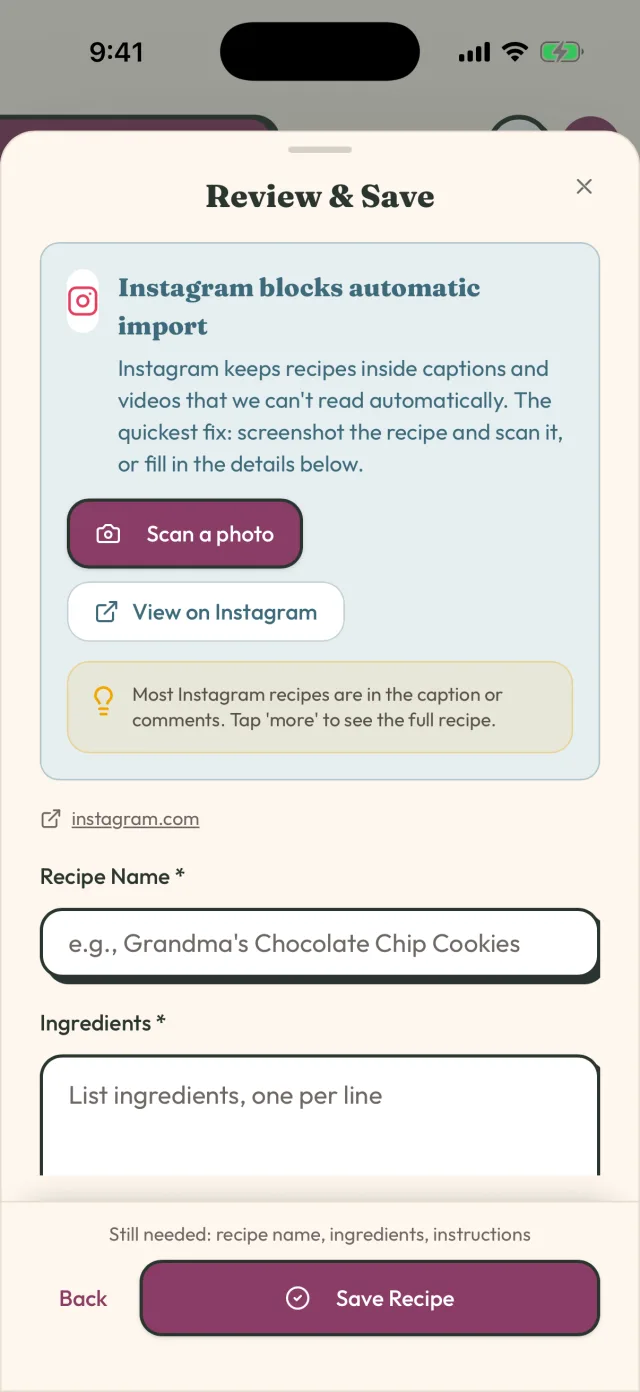
GetLadle imports a recipe directly from an Instagram link: it fetches the post's caption and turns it into ingredients, steps and servings you can search, edit and cook from — no screenshot, no scrolling Saved. The same import works from TikTok, YouTube, Pinterest, a plain recipe URL, or a photo if the recipe was never posted online at all. Apprentice, the free plan, includes 8 imports a month; Sous Chef and Head Chef make imports unlimited.
Keeping it that way
Import as you go rather than saving up a backlog — a recipe imported the day you find it takes a minute; forty saved posts imported in one sitting months later is a chore you'll put off again.
If you cook with anyone else — a partner, a housemate, a parent — importing also means the recipe is no longer stuck on your phone under your Instagram login. It can sit somewhere they can open too, which a saved post or a screenshot in your camera roll never lets you do without forwarding it to them individually and hoping they don't lose it in their own messages.
Frequently asked questions
Can I search my Saved posts on Instagram for a recipe?
Instagram's Saved folder does not offer search inside a collection, so once you've saved more than a handful of recipes, finding one again means scrolling through thumbnails and trying to remember which one it was.
Are screenshots a good way to save Instagram recipes?
Not for anything you want to find again. A screenshot sits in your camera roll with every other photo you've taken, has no text you can search, and captures only whatever was on screen at that moment — often missing the full caption where the ingredient list usually lives.
What's the difference between saving a post and importing a recipe?
Saving a post keeps a link back to Instagram inside the app. Importing turns the caption into a written recipe with separate ingredients and steps you can search, edit, scale, or cook from directly, without opening Instagram at all.
Related
- How to save TikTok recipes without losing the measurements
- How to share family recipes without retyping them
- How to Get Recipes Out of Your Camera Roll and Into One Place
- Private Recipe Sharing: What It Means and Why It Matters in 2026
- Compare GetLadle
Last reviewed 2026-09-15 · GetLadle