Saving a TikTok recipe so the quantities survive
To save a TikTok recipe without losing the measurements, save something that captures the caption and on-screen text, not just the video, because many creators speak the method but leave exact quantities out of the spoken narration. Screenshotting the video misses whatever is only said aloud, and re-watching later to transcribe it by hand is slow and error-prone. A tool that reads the caption and any on-screen ingredient list, then turns it into a written recipe with quantities and steps, is more reliable than relying on memory or a screenshot.
The measurements are usually in the caption or on-screen text, not the spoken narration — save the whole post, not just the clip.
Why the measurements go missing
Short-form recipe video is built for pace, not precision. A creator pours "a glug of oil" or "a handful of flour" on camera and states the exact amount, if at all, only in the caption below the video — text most viewers never scroll down to read. One Quora question captures the frustration directly: "why are there so many cooking videos that show how to make something but they never post measurements?" It's a format problem, not a carelessness problem, and it means the fix has to look past the video itself to the caption and any on-screen text.
Step 1: Save the whole post, not just the clip
A screenshot captures a single frame — usually the finished dish, not the ingredient list. If you're saving manually, copy the caption text as well as the video, because that's where creators who do share exact quantities usually put them.
Step 2: Use something that reads the caption, not just watches the video
A tool that only transcribes spoken audio will miss quantities that exist only as on-screen text or in the caption. Look for one that pulls from both — the caption, any on-screen text, and the spoken method — so a creator who says "add flour" but writes "200g flour" on screen doesn't lose the number.
Step 3: Check the result against the video once
Recipe-import accuracy varies. Reviewers of several import apps report ingredients that are "all wrong" or cooking times that don't match the source, and in at least one case an AI import invented a step that wasn't in the video at all. Skim the saved recipe against the original clip before you rely on it, especially the first time you save from a new creator.
Step 4: Fill genuine gaps with a reasonable amount, and note that you did
If a creator truly never states a quantity anywhere, use your judgement and write the amount you used into the saved recipe, with a note that it's an estimate. That way the next time you cook it, you're improving on your own last attempt instead of guessing from scratch again.
How GetLadle handles this
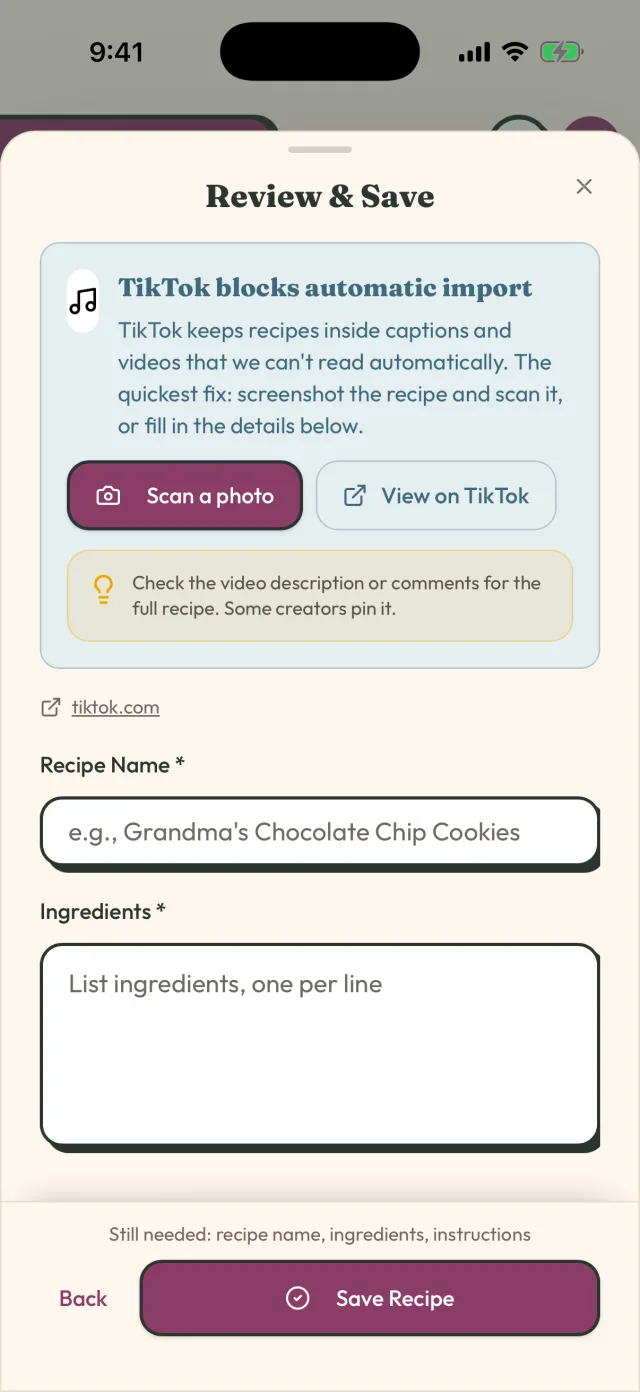
GetLadle's TikTok import fetches the video's caption together with the linked oEmbed data, not just the clip, and turns it into a recipe with separate ingredient, quantity and step fields you can edit. The same import path works for Instagram, YouTube, Pinterest, a plain URL, or a photo of a printed recipe. Apprentice (the free plan) includes 8 imports a month; Sous Chef and Head Chef raise that to unlimited.
Once it's saved
Add the recipe to a circle if you want to cook it with someone else, or straight into your weekly plan if you're making it this week. A recipe that's just sitting in a folder is no better off than it was as a TikTok you meant to get back to.
The whole point of saving it properly the first time is that you shouldn't need to go back to the video again. If you find yourself replaying the clip to check a quantity, that's a sign the import missed something — go back and fix the recipe itself, not just this one cook.
Frequently asked questions
Why do TikTok recipes leave out the measurements?
Short-form video favours pace over precision, so many creators demonstrate quantities visually (a glug, a handful) rather than stating them, and put the exact amounts in the caption instead — or skip them entirely and expect viewers to eyeball it.
Does screenshotting a TikTok recipe work?
It captures one frame, not the full caption or the spoken instructions, so you often end up with a photo of a finished dish and no ingredient list. It also isn't searchable later — you have to remember you saved it and scroll to find it.
Can an app get a recipe wrong when importing from TikTok?
Yes. Reviewers of several recipe apps report imports with wrong quantities, wrong cook times, or invented steps that weren't in the original video. Always skim the imported recipe against the video once before you cook from it, especially for a new creator.
Related
- How to Save a Recipe From TikTok
- How to organise Instagram recipes without screenshots
- How to share family recipes without retyping them
- How to Organise Your TikTok Recipes (So You Can Actually Cook Them)
- How to Get Recipes Out of Your Camera Roll and Into One Place
- Compare GetLadle
Sources
Last reviewed 2026-09-15 · GetLadle